
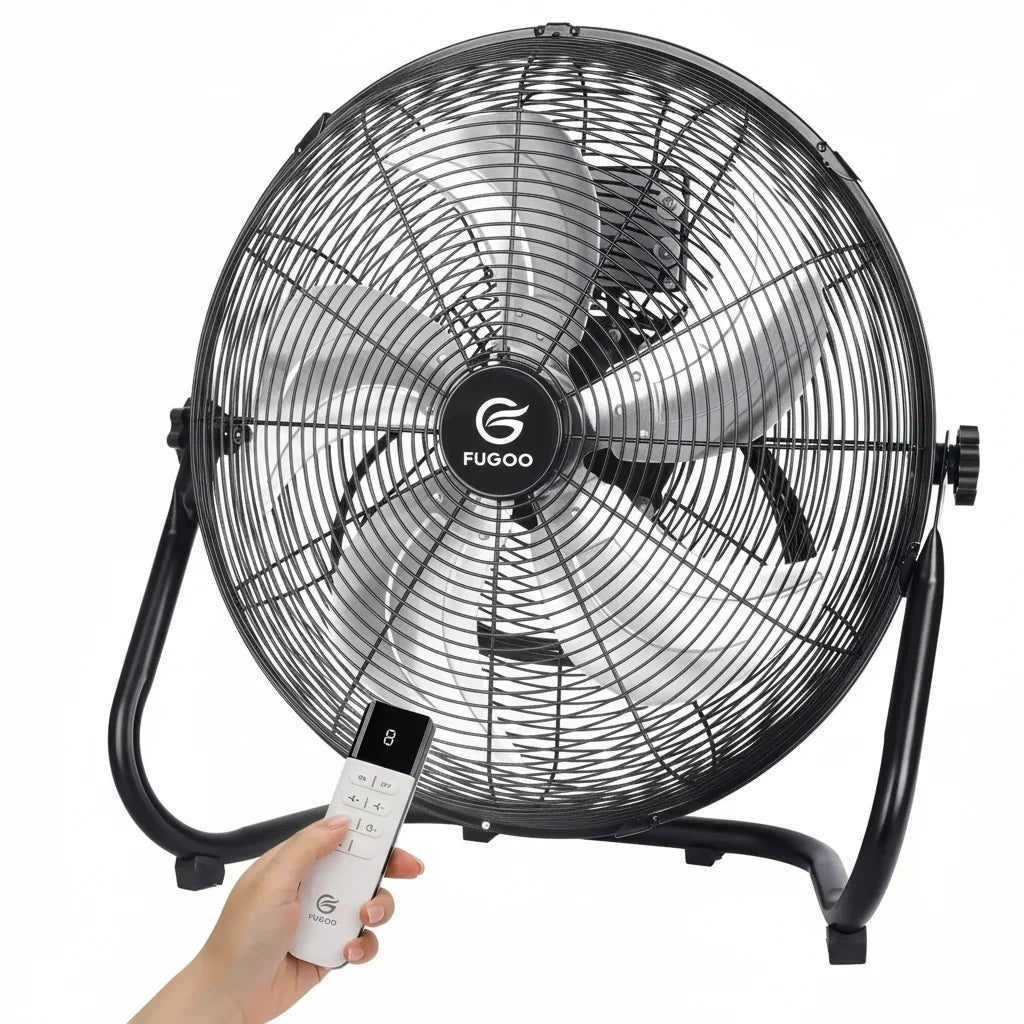
Dust, fibers, grease, and debris can collect on an industrial fan's guard, blades, housing, base, and mounting hardware. Regular inspection and cleaning help preserve airflow, reduce vibration, and reveal damage before it becomes a larger problem.
This guide provides a practical maintenance checklist for portable floor fans, pedestal fans, and wall-mounted fans. Always follow the instructions supplied with the exact model. Do not open a motor, electrical enclosure, or sealed component unless the manufacturer authorizes the work and it is performed by a qualified person.
Safety first: disconnect energy before maintenance
Turn the fan off, disconnect it from power, and wait until the blades stop completely before cleaning, moving, inspecting, or adjusting it. Keep control of the plug so another person cannot reconnect the fan while you are working.
In a workplace, unplugging may not be sufficient for every installation or maintenance task. Employers must follow applicable hazardous-energy control procedures, including lockout/tagout where required. Hardwired fans and equipment with stored or multiple energy sources should be serviced only by authorized, qualified personnel.
- Never clean a fan while it is running.
- Never reach through or bypass the guard.
- Never rely only on a remote control or electronic power button as energy isolation.
- Never work on damaged wiring, switches, plugs, or motor components unless qualified.
- Keep water and cleaning liquid away from electrical components.
How often should an industrial fan be cleaned?
There is no single interval for every environment. Inspect the fan more frequently when it operates around sawdust, lint, packaging fibers, grease, outdoor debris, or continuous traffic. A fan in a clean room used occasionally may need attention less often than one running daily in a workshop.
A practical starting schedule is:
- Before each use: quick visual check of the cord, plug, guard, base or bracket, and surrounding clearance.
- Weekly during frequent use: remove loose surface dust and check for unusual vibration or noise.
- Monthly: perform a more detailed external cleaning and hardware inspection.
- Before seasonal storage: clean, dry, inspect, and store the fan correctly.
Adjust the schedule to the manufacturer's manual, operating hours, environment, and workplace maintenance program.
Tools and supplies
- Soft brush or microfiber cloth.
- Vacuum with a soft brush attachment, if appropriate.
- Clean, slightly damp cloth for permitted exterior surfaces.
- Dry cloth for final wiping.
- Manufacturer-approved hand tools for accessible fasteners.
- Protective equipment required for the dust or workplace environment.
Avoid abrasive pads, aggressive solvents, pressure washers, and direct water spray unless the manufacturer specifically permits them for that exact model and cleaning method. A product's environmental rating does not automatically authorize washing or immersion.
Step-by-step industrial fan cleaning
1. Shut down and isolate the fan
Use the normal control to stop the fan, disconnect power, and verify that the blades are stationary. Move portable fans to a stable, dry work area if this can be done safely. Apply the workplace's energy-control procedure when required.
2. Inspect before cleaning
Look for cracked guards, bent blades, loose hardware, damaged cords, discoloration, corrosion, unstable bases, worn wheels, or movement at a wall bracket. If the fan is damaged, label it out of service and arrange qualified inspection rather than continuing to operate it.
3. Remove loose dust from the guard
Use a soft brush, dry cloth, or suitable vacuum attachment to lift dust from the front and rear guard. Work gently so the guard is not bent toward the blades. Do not push debris into the motor housing or electrical controls.
4. Clean accessible exterior surfaces
Wipe the housing, stand, base, controls, and other permitted surfaces with a soft cloth. If the manual allows a damp cloth, use minimal moisture and prevent liquid from entering openings. Dry all surfaces before reconnecting power.
5. Clean the blades only as the manual permits
Some fans allow the guard to be removed for blade cleaning; others should not be opened by the user. Follow the exact disassembly instructions and do not alter guard alignment, blade position, balance weights, or factory fasteners.
Support the blade rather than forcing it to turn against the motor. Do not bend metal blades or scrape coatings. Reinstall every guard and fastener before operation.
6. Check accessible hardware
Inspect accessible screws, knobs, handles, adjustment joints, base hardware, wheels, and mounting components. Tighten only to the manufacturer's instructions. Overtightening can strip threads, deform parts, or restrict adjustment.
7. Confirm clearances
Remove boxes, fabric, cords, papers, and other objects from the intake, discharge, tilt range, and oscillation path. A clean fan can still perform poorly when airflow is blocked.
8. Reassemble and inspect
Confirm that the guard is secure, tools and cleaning materials have been removed, components are dry, and no part contacts the blade. In a workplace, follow the required procedure for restoring energy and notifying affected employees.
9. Perform a controlled test
Start at the lowest speed while standing clear. Watch and listen for rubbing, wobble, vibration, unusual noise, odor, sparking, or intermittent operation. Stop and disconnect the fan immediately if anything appears abnormal.
Maintenance checklist by fan type
Portable floor fan
- Inspect the carrying handle and frame before lifting.
- Check tilt knobs and pivots for secure positioning.
- Verify that feet or supports sit evenly on the floor.
- Keep the cord out of traffic and away from sharp edges.
- Do not drag the fan by its cord or guard.
Pedestal fan
- Check the base, column, height adjustment, and locking points.
- Inspect wheels or casters for damage and free movement.
- Move the fan using the intended handle or frame—not the head, cord, or guard.
- Confirm stability on a level surface before operation.
- Store the cord so it cannot become caught under the wheels.
Wall-mounted fan
- Inspect the bracket, mounting surface, accessible fasteners, and safety restraints.
- Check clearance through the complete oscillation and tilt range.
- Look for wall movement, cracks, looseness, or corrosion around the installation.
- Use safe access equipment for cleaning; do not stand on unstable furniture.
- Have a qualified installer correct questionable mounting or wiring.
Do not ignore these warning signs
| Warning sign | Possible concern | Safe response |
|---|---|---|
| New vibration or wobble | Loose hardware, damaged or dirty blade, unstable base, mounting problem | Stop, disconnect power, and inspect; use qualified service if unresolved |
| Scraping or clicking | Blade contact, guard deformation, loose component | Do not continue running the fan |
| Burning smell or discoloration | Electrical or motor overheating | Disconnect immediately and remove from service |
| Intermittent power | Damaged cord, plug, control, outlet, or internal connection | Stop using it and obtain qualified inspection |
| Reduced airflow | Blocked guard, accumulated dust, incorrect placement, motor issue | Clean permitted surfaces and clear obstructions; service if performance remains abnormal |
| Loose wall bracket or unstable base | Mechanical support failure | Do not operate until correctly repaired |
How to store a fan between seasons
- Disconnect, clean, and dry the fan completely.
- Inspect for damage before storage rather than discovering it next season.
- Coil the cord loosely without sharp bends or strain at the plug.
- Use a breathable dust cover if recommended; do not trap moisture.
- Store the fan upright in a dry, stable location away from chemicals and impact.
- Keep the manual, remote, mounting hardware, and accessories together.
- Perform another inspection before returning the fan to service.
Cleaning in dusty or greasy environments
Woodworking dust, textile fibers, metal particles, kitchen grease, and process residue may require a specialized maintenance plan. General cleaning can spread hazardous dust or expose workers to contaminants.
Use the workplace's exposure-control, housekeeping, and hazardous-energy procedures. Do not use compressed air if it can disperse harmful dust, and do not use flammable cleaners near electrical equipment. When contamination enters the motor or electrical enclosure, remove the fan from service and contact qualified support.
Does an IP rating mean the fan can be washed?
No. An ingress-protection rating describes tested resistance to specified solid and water exposure conditions. It does not automatically mean the fan can be pressure-washed, submerged, cleaned while energized, or exposed through plugs and connections.
The current FUGOO comparison lists an IP rating for certain 20- and 24-inch wall and pedestal variants, but not for every size or configuration. Confirm the exact product and follow its cleaning instructions.
Frequently asked questions
Can I spray an industrial fan with water?
Do not spray or wash a fan unless the manufacturer explicitly approves that method for the exact model and all electrical connections are handled as instructed. A damp exterior cloth is not the same as direct spray.
Can I remove the fan guard for cleaning?
Only when the manual provides a user procedure. Reinstall the guard and every fastener correctly before reconnecting power. Never operate the fan without its guard.
Should I lubricate the motor?
Only if the manufacturer specifies a lubricant, point, quantity, and interval. Many motors and bearings are sealed or require professional service. Unapproved oil can damage components or collect dust.
Why is my fan louder after cleaning?
A guard may be misaligned, a fastener may be loose, or a blade may have been bent or disturbed. Stop using the fan, disconnect power, and inspect the reassembly. Seek qualified service if the cause is not obvious.
How can I make an industrial fan last longer?
Use it in an approved environment, maintain clear airflow, avoid impacts and cord damage, clean it on an appropriate schedule, respond quickly to vibration or noise, and follow the manual for service and storage.
Final maintenance checklist
- Power isolated and blades fully stopped.
- Guard, blades, housing, base, or bracket clean and dry.
- Cord, plug, controls, and accessible hardware undamaged.
- All guards and fasteners correctly reinstalled.
- Intake, discharge, tilt, and oscillation paths clear.
- Low-speed test completed without vibration, rubbing, odor, or electrical problems.
- Damaged equipment removed from service for qualified repair.
Review the FUGOO fan comparison page, view the 18-inch floor fan, explore the wall-mounted fan range, or see the pedestal fan range.
Share:
CFM vs. RPM vs. Fan Size: What Matters When Choosing an Industrial Fan?
How to Choose a Garage or Workshop Fan That Actually Moves Air